MacOS中MAT启动报错

MacOS中MAT启动报错

问题描述:

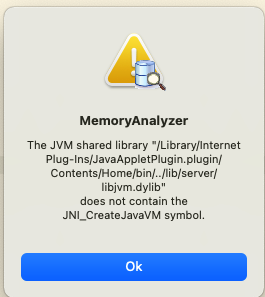
错误信息: The JVM shared library “/Library/Internet Plug-Ins/JavaAppletPlugin.plugin/Contents/Home/bin/../lib/server/libjvm.dylib”
does not contain the JNI_CreateJavaVM symbol.

解决方法:

1、安装JDK11

去华为云下载JDK11,下载地址:https://repo.huaweicloud.com/java/jdk/11.0.2+9/jdk-11.0.2_osx-x64_bin.dmg

2、进入Eclipse Memory Analyzer的安装目录下

1
2
cd /Applications/mat.app/Contents
vi Info.plist

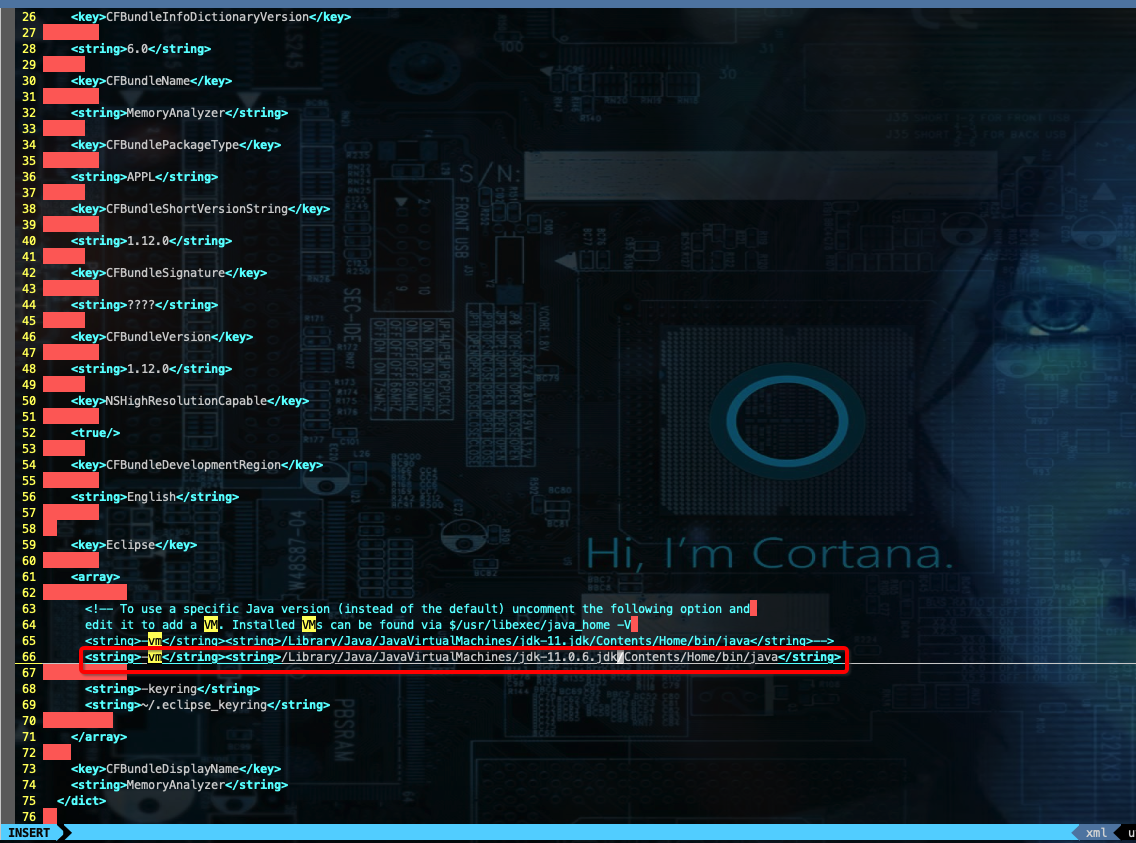
3、修改Info.plist文件

1
2
3
4
5
6
7
8
<array>
<!-- To use a specific Java version (instead of the default) uncomment the following option and
edit it to add a VM. Installed VMs can be found via $/usr/libexec/java_home -V
<string>-vm</string><string>/Library/Java/JavaVirtualMachines/jdk-11.jdk/Contents/Home/bin/java</string>-->
<string>-vm</string><string>/Library/Java/JavaVirtualMachines/jdk1.8.0_221.jdk/Contents/Home/bin/java</string>
<string>-keyring</string>
<string>~/.eclipse_keyring</string>
</array>

MacOS中MAT启动报错
http://dantefung.github.io/2021/07/11/MacOS中MAT启动报错/
Beitragsautor
DANTE FUNG
Veröffentlicht am
July 11, 2021
Urheberrechtshinweis